Building Autonomous n8n Agents: The Ultimate Stack Guide (n8n + Flowise + Qdrant)
Stop building linear workflows. Learn the Orchestrator-Worker pattern and why the 'Ultimate Stack' (n8n + Flowise + Qdrant) is the future of autonomous agents.
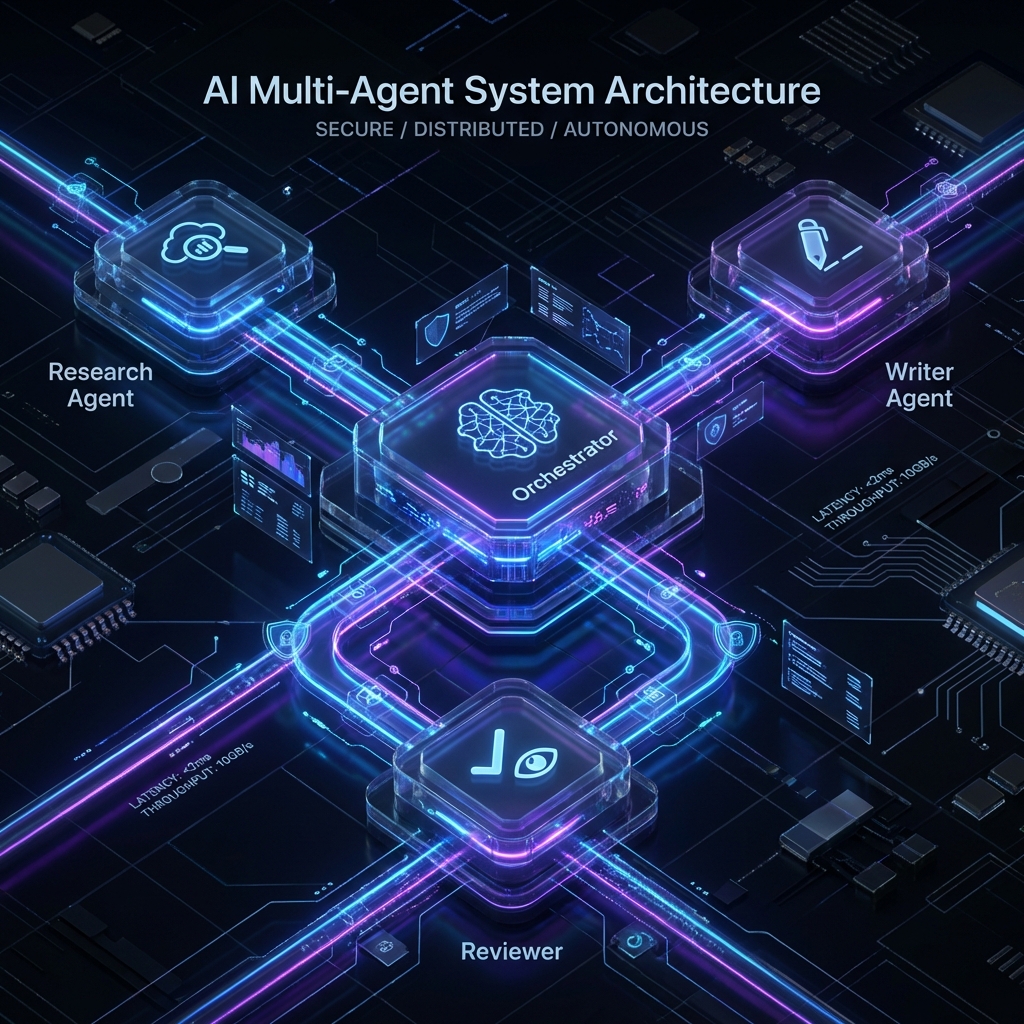
The End of Linear Workflows
If you are reading this, you have probably already hit the “Complexity Wall”.
In 2024, automation meant connecting Trigger -> Action -> Action.
In 2026, that is no longer enough.
Your clients don’t want “when an email arrives, save it to Airtable”. They want “when a lead arrives, have an agent research their company on LinkedIn, another analyze their website, a third draft a personalized proposal, and a manager decide whether it’s worth sending or not”.
Attempting to do this in a linear workflow on Make.com or n8n Cloud is financial and technical suicide.
The Cognitive Cost Problem
Every time an AI Agent “thinks” (reasons, loops, retries), it consumes executions.
- On Serverless Platforms (Make/Zapier): You pay per operation. An agent that “think” 10 times to solve a problem costs you 10x.
- On n8n Cloud: You have strict execution limits and timeouts. If your agent takes 5 minutes to research, the workflow gets cut off.
The Solution: The Ultimate Stack
To build truly autonomous systems, you need more than just a workflow engine. You need a complete cognitive architecture. At AIBuildr, we call this The Ultimate Stack:
1. The Hands: n8n
n8n is the best orchestrator for deterministic tasks. It connects APIs, moves data, and handles triggers. It’s the body of your agent.
2. The Brain: Flowise
Flowise allows you to build complex LLM chains visually. It handles context, prompt engineering, and RAG (Retrieval-Augmented Generation) much better than raw n8n nodes.
- The Synergy: n8n calls Flowise via API for “thinking” tasks, and Flowise returns the decision.
3. The Memory: Qdrant
An agent without memory is just a calculator. Qdrant provides long-term semantic memory, allowing your agents to “remember” past interactions, documents, or company policies without re-reading them every time.
The Architecture: Orchestrator vs. Workers
To build robust systems, you need to decouple logic. You can’t have a “Mega-Workflow” with 500 nodes. You need a hierarchy.
1. The Orchestrator (Manager)
This is the central brain (usually an n8n workflow). It doesn’t do the dirty work. Its only function is:
- Receive the input (Goal).
- Break it down into tasks.
- Delegate to Specialist Agents (other workflows or Flowise chains).
- Evaluate the result and decide if it’s finished.
2. The Specialist Agents (Workers)
These are small, specialized workflows or Flowise agents that do ONE thing very well:
- Researcher Agent: Browses the web and extracts data.
- Writer Agent: Drafts copy with a specific tone.
- Coder Agent: Generates or validates code.
Tutorial: Your First Swarm in n8n
To implement this on AIBuildr (where you have no execution limits or cost per node), we will use the Webhook Modularization technique.
Step 1: The Researcher Agent (Worker)
Create a workflow that starts with a Webhook receiving a URL.
Connect a LangChain or HTTP Request node to do the scraping.
End with a Respond to Webhook node returning the summary JSON.
Step 2: The Writer Agent (Worker)
Create another workflow that receives that JSON. Use a powerful model (GPT-4) or a local one connected via tunnel (Ollama + ngrok) to write the email. Return the final text.
Step 3: The Orchestrator (Manager)
Here is where the magic happens. Use the “Execute Workflow” node (or HTTP Request to your own local webhooks) to call Step 1, wait for the response, and pass it to Step 2.
Pro Tip: In AIBuildr, since network latency is zero (everything runs on the same Docker network), these calls are instantaneous.
Why AIBuildr is the Best Home for Agents
Honestly: Timeouts, Memory, and Cost.
- Unlimited Loops: Agents need to loop to correct themselves. On Make.com, a loop is a bankruptcy. On AIBuildr, it’s free.
- No Timeouts: A deep research task might take 20 minutes. Serverless functions timeout after 1-5 minutes. Our VPS runs until the job is done.
- Local Models (Hybrid AI): You can connect your local GPU (Ollama) to your AIBuildr n8n via a secure tunnel. Use free local compute for the heavy lifting and the cloud for orchestration 24/7.
Conclusion
The era of “connecting apps” is over. We are in the era of “managing robot teams”. The question is: Are you going to pay rent for every thought your robots have, or are you going to own their office?